Smart Home Starter Kit: 7 Devices Worth Buying First
Ignore the connected toasters. Seven smart home devices have quietly matured into genuine daily utility — here’s the exact order to buy them in, what each is really worth, and the three automations that make a house run itself.
The smart home industry has spent a decade selling the future: refrigerators that order milk, toasters with apps, mirrors with opinions. Most of it is noise. Beneath the marketing, though, a small set of devices has quietly matured into genuine utility — products that save time every single day, cost less than a nice dinner, and work reliably enough to disappear into the background of your life, which is the only honest test of good technology.
The trap for beginners is sequence. Buy in the wrong order — start with the flashy centerpiece rather than the workhorses — and you get a drawer of orphaned gadgets and a house full of apps. Buy in the right order and each device earns its place, builds on the last, and by the seventh purchase you have a home that genuinely runs itself. This guide is that order, with the reasoning laid bare, plus the one standard that now makes mixing brands safe.
1.Two Ground Rules Before You Buy Anything
Rule one: buy for problems, not possibilities. Every device below earned its ranking by solving a daily friction — the light you always forget, the door you never remember locking, the heating that warms an empty house. If a device doesn’t map to a specific annoyance in your own life, it goes on the someday list, not the shopping list.
Rule two: check for Matter. The smart home’s oldest headache — devices locked into one brand’s ecosystem — finally has a fix: Matter, the industry-wide compatibility standard backed by Apple, Google, Amazon, and Samsung. A Matter-certified device works with all major platforms, so your choices today survive your phone upgrade tomorrow. The Connectivity Standards Alliance’s Matter overview explains the certification; the short version is: look for the Matter logo on the box, and your ecosystem wars are over before they begin.
2.The Seven, In the Order You Should Buy Them
Table 1 — The smart home starter kit, ranked by daily value per dollar
| # | Device | Typical Price | The Daily Win | Setup Effort |
|---|---|---|---|---|
| 1 | Smart speaker / display | $30–100 | The voice remote for everything below; timers, music, questions | 10 minutes |
| 2 | Smart plugs (×2) | $10–15 each | Lamps, fans, the coffee maker — anything dumb becomes scheduled | 5 minutes each |
| 3 | Smart bulbs (2–4) | $10–20 each | Light that follows your day: wake-up, focus, wind-down | 10 minutes |
| 4 | Video doorbell | $60–150 | Answer the door from anywhere; parcels stop being mysteries | 30–60 minutes |
| 5 | Smart thermostat | $100–250 | Comfort on autopilot; the one device that repays its price in energy savings | 60–90 minutes |
| 6 | Smart lock | $100–250 | Keys become optional; guest access becomes a code, not a key handoff | 45 minutes |
| 7 | Robot vacuum | $150–400 | The floors simply stop being your job | 20 minutes + mapping run |
3.#1: The Smart Speaker — Your Home’s Remote Control
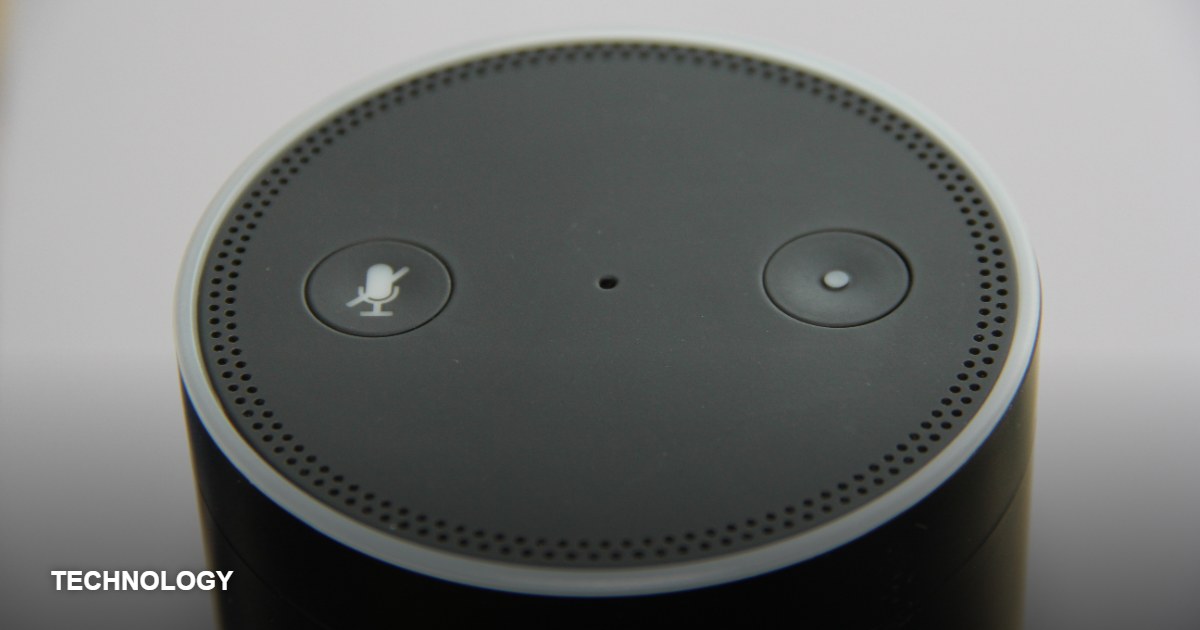
Everything else in this guide can be controlled by an app, but apps are friction — unlock phone, find app, wait, tap. A smart speaker turns the entire system into a sentence: “lights off,” “is the door locked,” “start the vacuum.” Even before you own device two, the speaker earns its keep as the kitchen’s timer, the morning’s weather report, and the household’s shared jukebox. Choose the platform that matches your phone’s ecosystem — Apple’s HomePod for iPhone households, Google’s Nest for Android, Amazon’s Echo for the largest device compatibility — and don’t agonize: Matter (above) has made this decision less binding than it’s ever been. One speaker in the kitchen covers the average apartment; add a mini for the bedroom later.
4.Choosing Your Ecosystem: The Fifteen-Minute Decision
Beginners lose weeks to the ecosystem question; it deserves fifteen minutes. The three major platforms — Apple Home, Google Home, and Amazon Alexa — are all excellent in 2026, all support Matter devices, and all run the automations in this guide identically. The honest decision criteria are these: pick the platform your household’s phones already speak (iPhone households find Apple Home frictionless; Android households find Google Home the same), pick Amazon’s Alexa if maximum device selection and the cheapest entry hardware appeal, and — most importantly — pick one. Mixed ecosystems work better than they used to, but one platform, one app, one voice keeps the household sane. The platform decision used to be a cage; Matter has made it a preference.
One nuance worth knowing: the speaker you buy becomes your home’s voice interface, so spend the ecosystem decision there, not on bulbs. Everything downstream — plugs, locks, thermostats — now speaks all three languages through Matter, which means the only wrong choice remaining is buying uncertified oddities to save five dollars.
5.#2: Smart Plugs — The Cheapest Magic Trick in Tech
A smart plug is a fifteen-dollar adapter that sits between any device and the wall socket — and it is, dollar for dollar, the highest-value device in the smart home. Plug in a lamp and it gains schedules, voice control, and away-mode presence simulation. Plug in a fan and summer gains a schedule. Plug in the coffee maker and the morning smells different. The strategic use beginners miss: plugs are the away kit — two lamps on randomized evening schedules make an empty home look occupied, which is the oldest security advice there is, now automated for thirty dollars.
The Coffee Caveat
Smart plugs control power, not buttons: they work with devices that resume when power returns (lamps, fans, basic coffee makers with a physical switch). Devices with electronic “press to start” buttons won’t cooperate — check before you plan the espresso automation.
6.#3: Smart Bulbs — Light That Follows Your Day
Smart lighting is the device people mock until they live with it for a week, and then cannot surrender. The value isn’t colors for parties — it’s circadian scheduling: bright, cool light for morning focus; warm, dim light for evening wind-down; a gentle fade-up instead of an alarm’s violence. Start with two to four bulbs where light matters most — the bedroom and the main living room lamp — rather than converting the house. Two structural decisions matter: bulbs beat smart switches for renters (no wiring, move-out friendly), and any bulb you buy should be Matter-certified so it outlives whichever app you prefer next year.
7.#4: The Video Doorbell — Peace of Mind at the Front Door
The video doorbell solves a modern problem so completely it’s hard to remember the old anxiety: did the parcel come? who rang while we were out? Motion alerts, a live view from anywhere, and two-way talk (“leave it by the plant, thank you”) convert the front door from a blind spot into a channel. Two purchase notes: battery models install in minutes without wiring, making them the renter-friendly default; and many brands gate recording history behind a subscription — factor the monthly fee into the real price before choosing, since a cheaper doorbell with a subscription often costs more over two years than a pricier one without.
8.#5: The Smart Thermostat — The One That Pays You Back
The thermostat is the only device on this list that is an investment rather than a convenience. Heating and cooling dominate home energy use, and a smart thermostat attacks the waste precisely: it learns the household’s rhythm, stops heating empty rooms, pre-warms before the alarm, and shows you the monthly report that makes the savings visible. Real-world savings vary by home and climate, but the device’s reputation for paying for itself within a heating season or two is well established. Two cautions: check compatibility with your heating system before buying (most makers offer an online checker), and renters should confirm the landlord’s blessing — installation involves the existing thermostat’s wiring.
9.#6: The Smart Lock — The End of the Spare Key Under the Mat
The smart lock’s gift is not keylessness — it’s certainty. The auto-lock that engages at night, the phone check from the train that answers “did I lock up?”, the temporary code for the cleaner or the visiting in-laws that expires on Sunday. Retrofit models that fit over the existing deadbolt keep the physical key as backup and install without replacing the door hardware — the right choice for most households. The security question everyone asks: reputable smart locks use encrypted connections and store access locally; the practical risk profile compares well with the traditional spare key under the flowerpot, which never once sent you an activity log.
10.#7: The Robot Vacuum — The Last Purchase, the Biggest Time Gift
Ranked last not because it’s least valuable but because it’s the largest purchase and the least essential — the dessert course of the starter kit. A robot vacuum on a daily schedule doesn’t deep-clean; it maintains, and maintenance turns out to be the whole game: floors that never visibly degrade, weekend vacuuming that quietly stops happening. Buy for navigation quality (LiDAR-mapping models clean methodically rather than randomly), for a self-emptying dock if budget allows (it converts a daily-empty chore into a monthly one), and for your floor plan’s reality — thresholds, rugs, and cable discipline determine satisfaction more than suction specs.
11.What to Skip (For Now): The Hype Tax
For every device on the buy list, the industry offers five that monetize novelty. The table below isn’t a permanent ban — several categories are improving quickly — but a first-year skip list, based on where beginners’ money most often evaporates:
Table 2 — Skip first, revisit later
| Category | The Promise | The Reality for Beginners |
|---|---|---|
| Smart fridge / oven / toaster | A kitchen that thinks | Premium prices for features used twice; the “smart” ages years before the appliance |
| Full-house sensor suites | A home that knows everything | Fifty devices, fifty batteries, fifty apps’ worth of upkeep — year-three territory |
| Off-brand cameras & bulbs | Same thing, half the price | Abandoned apps and unpatched firmware; savings evaporate in reliability |
| Whole-home lighting conversion | Every room, every scene | Start with 2–4 bulbs; converting a house first is the most common budget blowout |
| Subscription-gated everything | Advanced features, monthly | Audit subscriptions yearly; two “cheap” plans outcost one better device |
The discipline underneath the list: the smart home grows best by accretion — one proven device at a time, each integrated into a routine before the next arrives. The households that love their systems built them in a year of small steps; the households with the gadget drawer bought the future all at once.
12.The Setup Order: Automations That Actually Help
Devices are ingredients; automations are the meal. Resist the urge to automate everything — build the three routines below first, live with them a month, and let your own habits nominate the rest:
Table 3 — The three routines worth building first
| Routine | Trigger | What Happens |
|---|---|---|
| Good morning | Weekday alarm time | Bedroom bulbs fade up warm; speaker reads weather and calendar; coffee plug switches on |
| Leaving home | Phone leaves home area (geofence) | All lights and plugs off; thermostat sets back; lock confirms; robot vacuum starts |
| Good night | One voice command or 11 p.m. schedule | Doors lock, everything off, thermostat to night mode, porch light on till dawn |
The automation philosophy that survives: automate the things you already do daily, never the things you occasionally wish you did. A routine that replaces a real habit gets used thousands of times; one that aspires to change your behavior gets disabled by Friday.
13.Two Minutes on Privacy and Security
Smart home security is ninety percent basic hygiene: strong, unique account passwords with two-factor authentication; the home Wi-Fi protected by a proper password; device firmware set to auto-update (updates are how vulnerabilities get closed); and each device reviewed with one question — does this need the internet, or just my network? Cameras deserve an extra beat of thought: point them at your own property’s approaches, not the neighbor’s windows or the street, and check what your doorbell’s subscription actually stores. These habits take an evening to establish and then run themselves — like everything else in this guide.
14.Frequently Asked Questions
Do I need a hub?
Increasingly, no. Matter-over-Wi-Fi devices connect directly, and the major speakers double as hubs for the Thread-based devices that benefit from one. If you later add many sensors, a small dedicated hub earns its place — but it’s a year-two question, not a day-one purchase.
What’s the total realistic budget?
The first three devices — speaker, two plugs, two bulbs — run roughly seventy to a hundred and fifty dollars and deliver the majority of the daily value. The full seven-device kit lands between six hundred and fifteen hundred depending on brands; buy in the order above, one device a month, and let each prove itself.
Will this all work if the internet goes down?
Local control is improving steadily (Matter is explicitly local-first), but the honest answer: lights and plugs keep their manual switches, locks keep their keys, and schedules stored on the device keep running. Cloud features — voice control from outside the house, camera history — pause until the connection returns. Nothing becomes a brick.
I’m a renter. What’s off-limits?
Very little: bulbs, plugs, and speakers are fully portable; battery doorbells and retrofit locks install without permanent changes. The thermostat is the one conversation to have with your landlord first — many say yes once they hear “lower bills.”
Do smart home devices keep working when the internet goes down?
It depends on how they’re built. Devices that run locally — Zigbee and Thread sensors talking to a local hub, or Matter devices on your home network — keep automations running through an internet outage; your lights don’t care that the wider web is down. Cloud-dependent devices (many budget Wi-Fi gadgets) go dumb the moment their servers can’t be reached. This is one of the strongest arguments for the local-first standards this guide recommends: check whether a device works locally before buying, and your smart home will survive your provider’s next outage.
What about privacy — are these devices listening?
Smart speakers have microphones by design, and every major brand now includes a physical mute switch and a way to review and delete recordings in its app — use both. Beyond the speaker, prefer devices that process locally and buy from companies with a published security-update policy. The unglamorous but real best practice: put smart home gadgets on a separate guest Wi-Fi network, so a compromised light bulb can’t see your laptop.
Can renters build a smart home without angering the landlord?
Yes — most of the starter kit is renter-friendly by nature. Plug-in smart speakers, bulbs that screw into existing fixtures, and adhesive sensors install with zero wiring and leave no trace. Save anything that replaces permanent hardware (smart thermostats, in-wall switches, door locks) for when you own the walls, or get written permission first. The portable nature of the starter kit is a hidden feature: when you move, your smart home unscrews and moves with you.
Sources & Further Reading
Compatibility standard: the Connectivity Standards Alliance’s Matter overview. All external links verified live at publication. Related on Adlroom: our small kitchen organization guide pairs well with a scheduled coffee plug, and the Travel desk’s packing method covers what to do with all the chargers.
The smart home done right is boring in the best way: the lights follow the sun, the door locks itself, the heating minds the weather, and you stop thinking about any of it. Buy in this order, automate your real habits, and let the house handle the rest.